
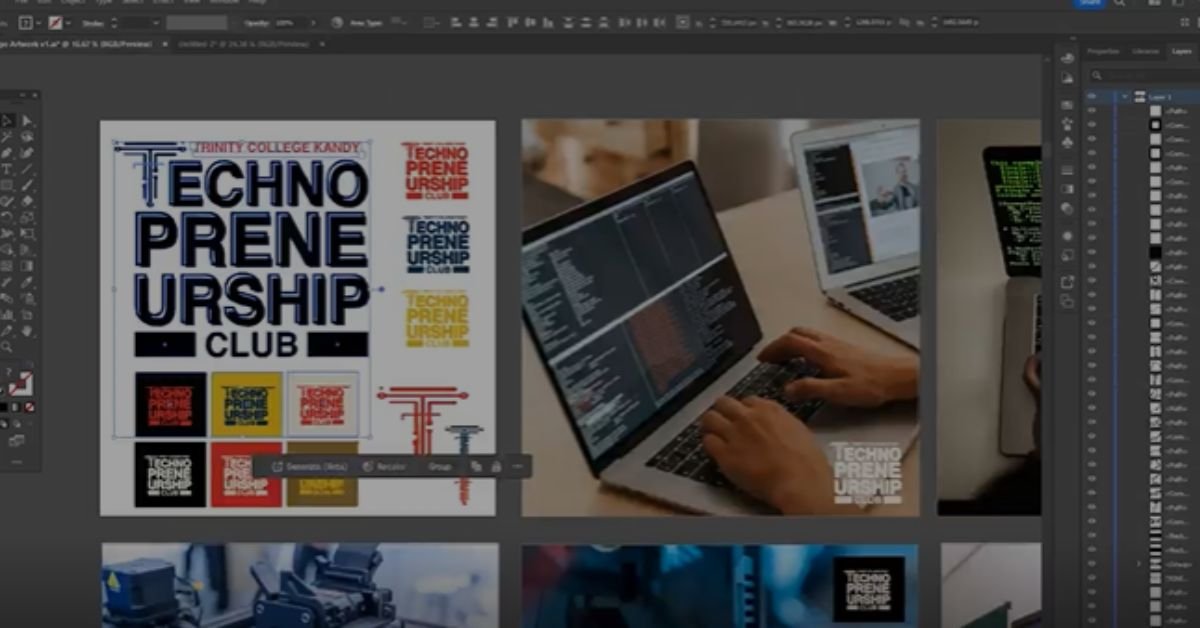
Over the past few weeks, I have been slowly diving into Adobe Illustrator. Not with any grand plan or fixed outcome in mind, but simply by using it consistently and letting the learning happen through practice.
To be honest, I was not the biggest fan at the start. Illustrator can feel intimidating if you are coming from simpler design tools. There is a lot going on. Too many panels, too many tools, and too many ways to do the same thing. It takes time before things start to feel intuitive.
That changed once I began to understand the real strength of vector design.
The Shift to Vector Thinking
One of the most satisfying aspects of Illustrator is how effortlessly you can turn almost anything into clean, scalable vector artwork once you understand the fundamentals. Shapes become systems. Lines become intentional. Every element feels deliberate rather than fixed.
That shift in thinking takes time, but once it clicks, the software starts working with you instead of against you.
Instead of worrying about perfection, the focus moves to structure, alignment, and clarity. That is where Illustrator really shines.
Behind the Scenes of a Student Project
Recently, I had the opportunity to work on a logo for the Technopreneurship Club at Trinity College Kandy. It was a great excuse to apply what I had been learning in a real context rather than isolated exercises.
This kind of project forces you to think beyond aesthetics. A logo needs to be flexible, reproducible, and meaningful. It should work at different sizes, across different platforms, and still retain its identity.
Sharing the behind-the-scenes process was important to me. Design often looks effortless when finished, but the thinking, iterations, and small adjustments are where most of the work actually happens.
What made the experience even better was collaborating with a motivated group of students who were genuinely interested in the process, not just the final output.
Inspiration Still Matters
While learning tools is important, inspiration plays a different role. Platforms like Pinterest continue to be useful, not for copying, but for spotting patterns, trends, and approaches across different styles and industries.
Seeing how others solve visual problems helps sharpen your own judgment. The key is to absorb ideas, not replicate them.
Closing Thought
Learning Illustrator has been less about mastering a tool and more about developing patience and precision. Progress has been gradual, sometimes frustrating, but consistently rewarding.
Design skills grow fastest when learning is tied to real work, real constraints, and real people. This project was a reminder of that.
There is still a lot to learn, but the direction feels right.
